Products
Built on modern cloud tech and smart methods - CloudWerk helps you choose the right tools and partners for your project.
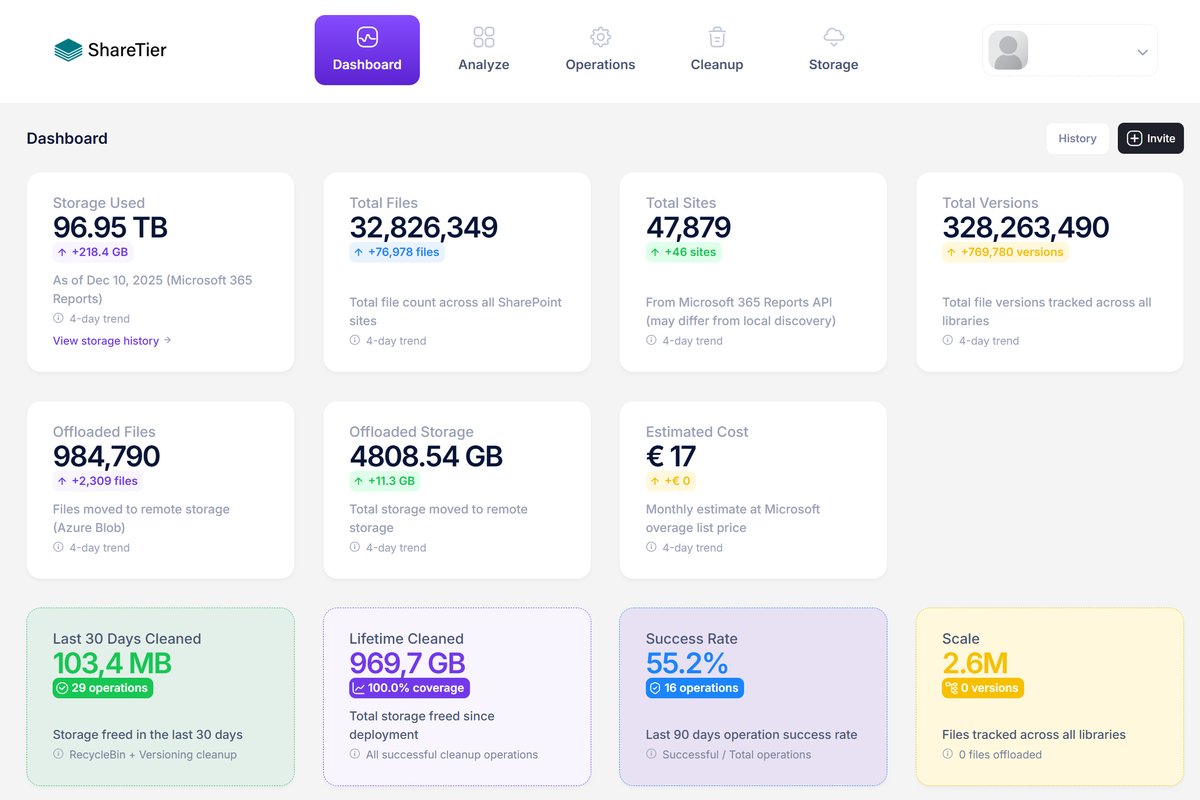

ShareTier by CloudWerk
Policy-based storage clean-up for SharePoint in Microsoft 365.
ShareTier shows where your Microsoft 365 storage goes – by site, library and file type – and reduces it with rules you set once. It trims old file versions, empties recycle bins on a schedule and moves large binary files to Azure Blob Storage or AWS S3. Every run can be simulated first, and every action is logged.
-
Version clean-up
Keep only the versions you need per library, such as the last 10 or those from the past 90 days.
-
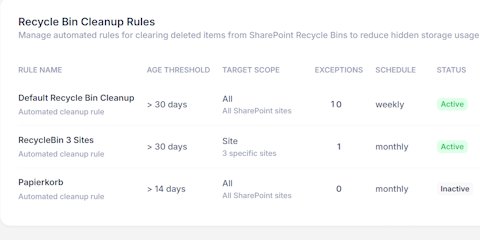
Recycle bin clean-up
Deleted items still count against your quota; ShareTier clears them by age, file type or site, on a schedule.
-
File offloading
Videos, backups and ZIP archives move to Azure Blob Storage or AWS S3, and users still reach them through stub files.
With Rencore Governance, you stay in control: Manage collaboration, security, and compliance centrally and effortlessly – for a secure Microsoft 365 environment.
-
Data safety
Protect your data from loss or misuse. Rencore Governance helps you implement best practices, reduce costs, and minimise risks.
-
Secure and efficient
Manage collaboration, compliance, and data protection centrally - and create clear structures.
-
More control, less effort
Our solution provides transparency, intelligent safeguards, and maximum security - without unnecessary complexity
Governance
for Microsoft 365 by Rencore
Master collaboration, security, and compliance – achieve peak efficiency while cutting expenses.
TodoWerk by CloudWerk
See and tidy the hashtags in your Microsoft To Do tasks.
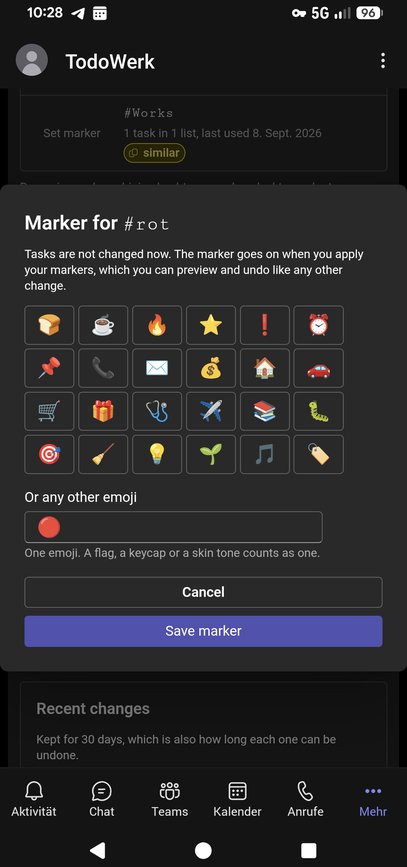
TodoWerk lists every hashtag in your own Microsoft To Do task titles, with how often each is used, in how many lists and when it was last used – an overview Microsoft To Do cannot show. It runs in Microsoft Teams, Outlook, the Microsoft 365 app and a web browser. The app is available in English.
-
Spot the drift
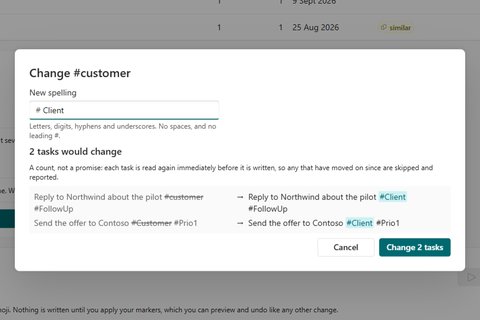
Flags the same tag written more than one way (#Work and #work), near-duplicates such as #customer and #customers, and tags unused for months.
-
Preview first, undo later
Rename a hashtag, settle its spellings or combine several into one – you see every affected task title first and can undo the whole change for 30 days.
-
Your tasks stay yours
TodoWerk works only on your own account and rewrites nothing but the hashtag text – it never creates, completes or deletes a task.
Aushang by CloudWerk
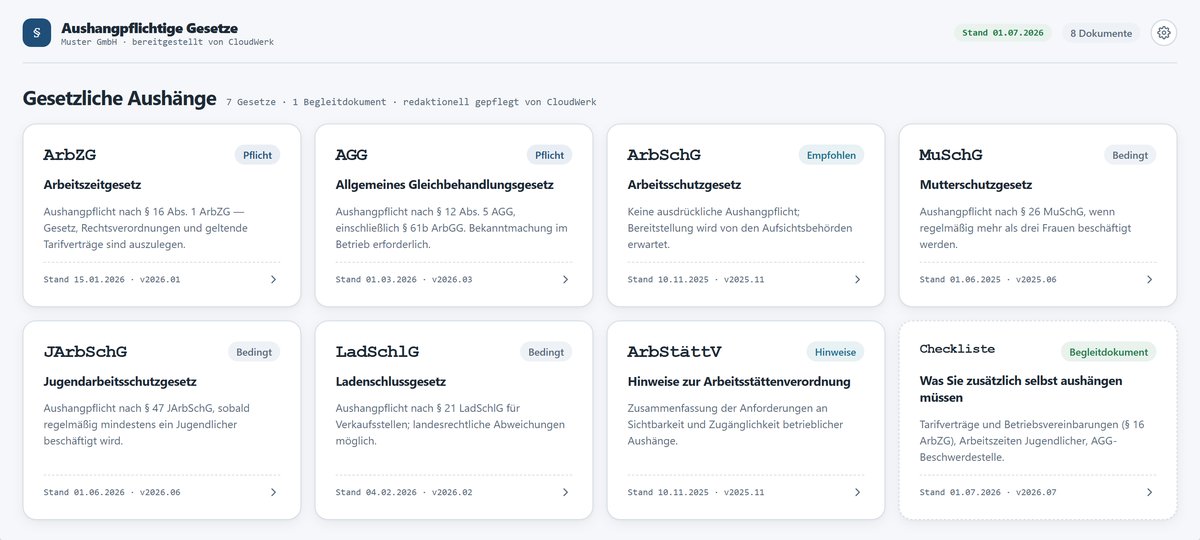
Germany's mandatory workplace postings – always current, in Microsoft Teams and SharePoint.
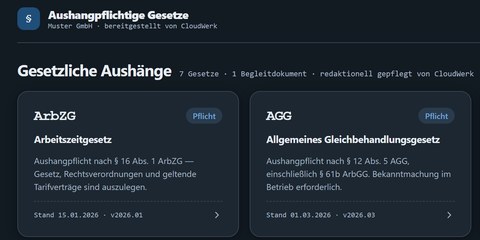
German employers must make certain laws available to every employee, such as the Working Hours Act and the General Equal Treatment Act. Aushang publishes the general federal statutes as a digital notice board in Microsoft Teams and on your SharePoint Online intranet, where your staff already work. CloudWerk maintains the texts centrally, and every customer sees a new version on their next visit – nothing to download, replace or monitor. The app and all documents are available in German only.
-
Always the current version
CloudWerk checks the statutes every month and publishes changes for all customers at once. Each posting shows whether it is mandatory, recommended or conditional, its legal basis and its version date.
-
Your own postings alongside
Collective agreements, works agreements or details of your AGG complaints office: a site owner links an existing SharePoint document library, and its documents appear in their own section next to the statutes.
-
No tracking, by design
Aushang cannot see who reads what. Employers may not monitor that in Germany, so the app records no user-level usage data at all.
Migration Assistance by CloudWerk
Plan your migration to SharePoint Online with confidence.
Migrating to SharePoint Online can be complex and time-consuming. Simply transferring data to the cloud isn’t enough — success requires structure, clarity, and control. Our solution helps you inventory, categorise, and strategically plan your migration — reducing risks and ensuring a smooth transition to the cloud.
Stay informed. Stay secure. Stay ahead.
As a Microsoft 365 administrator, keeping up with new features and changes is essential. Our Update Service helps you stay on top of what matters — with timely notifications, detailed documentation, and customisable preferences tailored to your organisation's needs. Get the insights you need to manage updates proactively and keep your environment running smoothly.
Update Service by CloudWerk
UserManagement by CloudWerk
Start saving time on employee management.
Delegate permissions without risk.
Our UserManagement is a cloud-based Admin + HR tool that gives you full control over user attributes and empowers HR teams to manage user profiles independently from IT - all from a single, intuitive interface designed for simplicity and efficiency.
-
We solve the critical challenge faced by IT departments: balancing security with operational efficiency.
-
Track changes to employee profiles, enable user to independently maintain selected properties, and get accurate reports.
-
Seamless Microsoft Integration: Native Entra ID authentication and real-time synchronisation.
Ready to simplify your user management?